Handbook · Chapter 12 of 13
Chapter 12
🖥️ On a bigger screen
Sprig on an iPad or in a browser is the same app with room to breathe — two panes while you cook, a day open beside the calendar, and every screen at full width.
Updated September 20, 2026
On this page
12.1 Everything, bigger12.2 Sprig on iPad12.3 Two panes when you cook12.4 Two panes when you plan12.5 A keyboard, if you have oneEverything, bigger
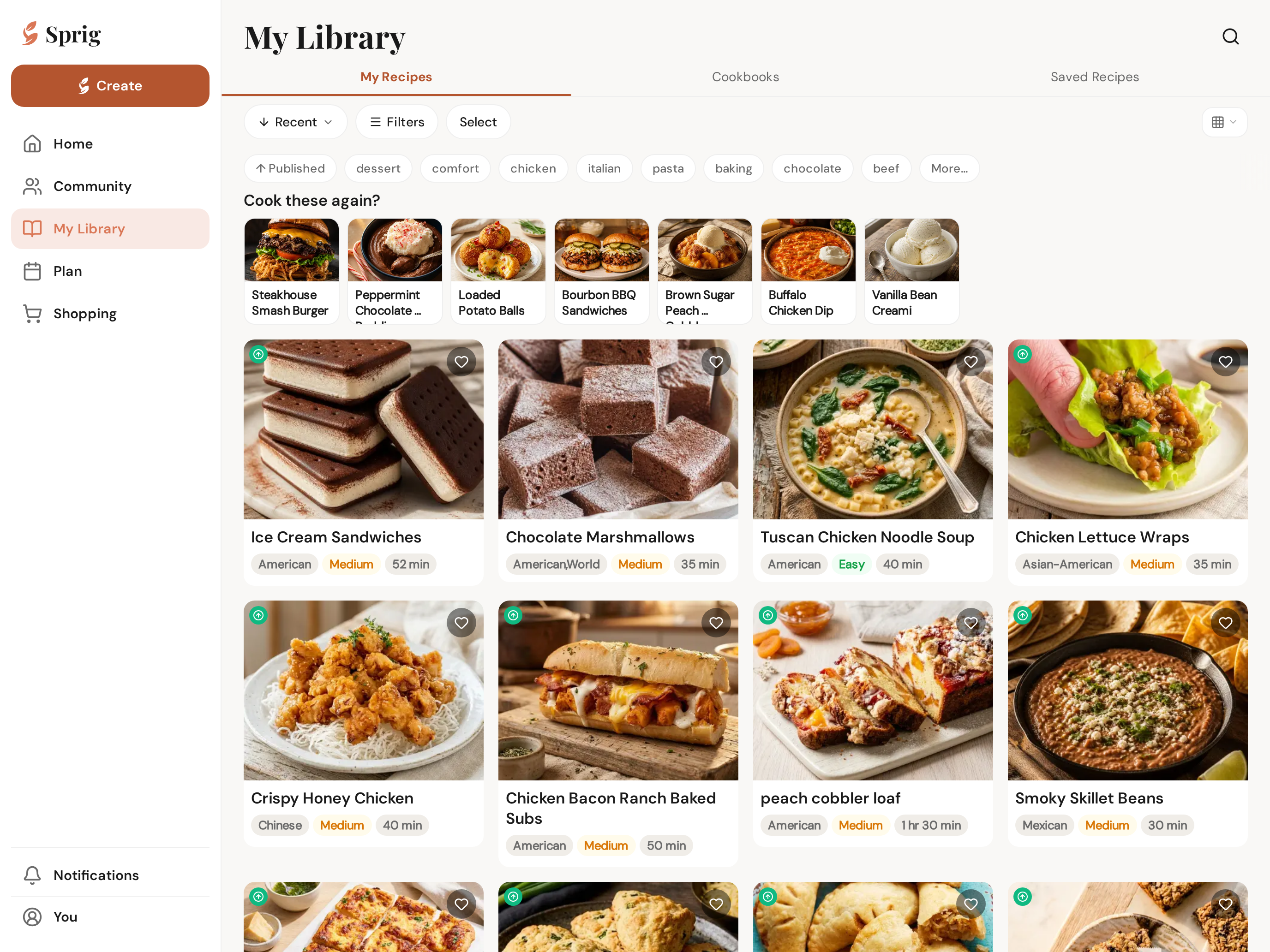
Sign in at app.getsprig.app and it's all there — your library, the planner, chat, community — with the extra room a big screen brings. Cook from a laptop propped on the counter; plan the week with a proper keyboard.
Tap a picture to zoom
Sprig on iPad
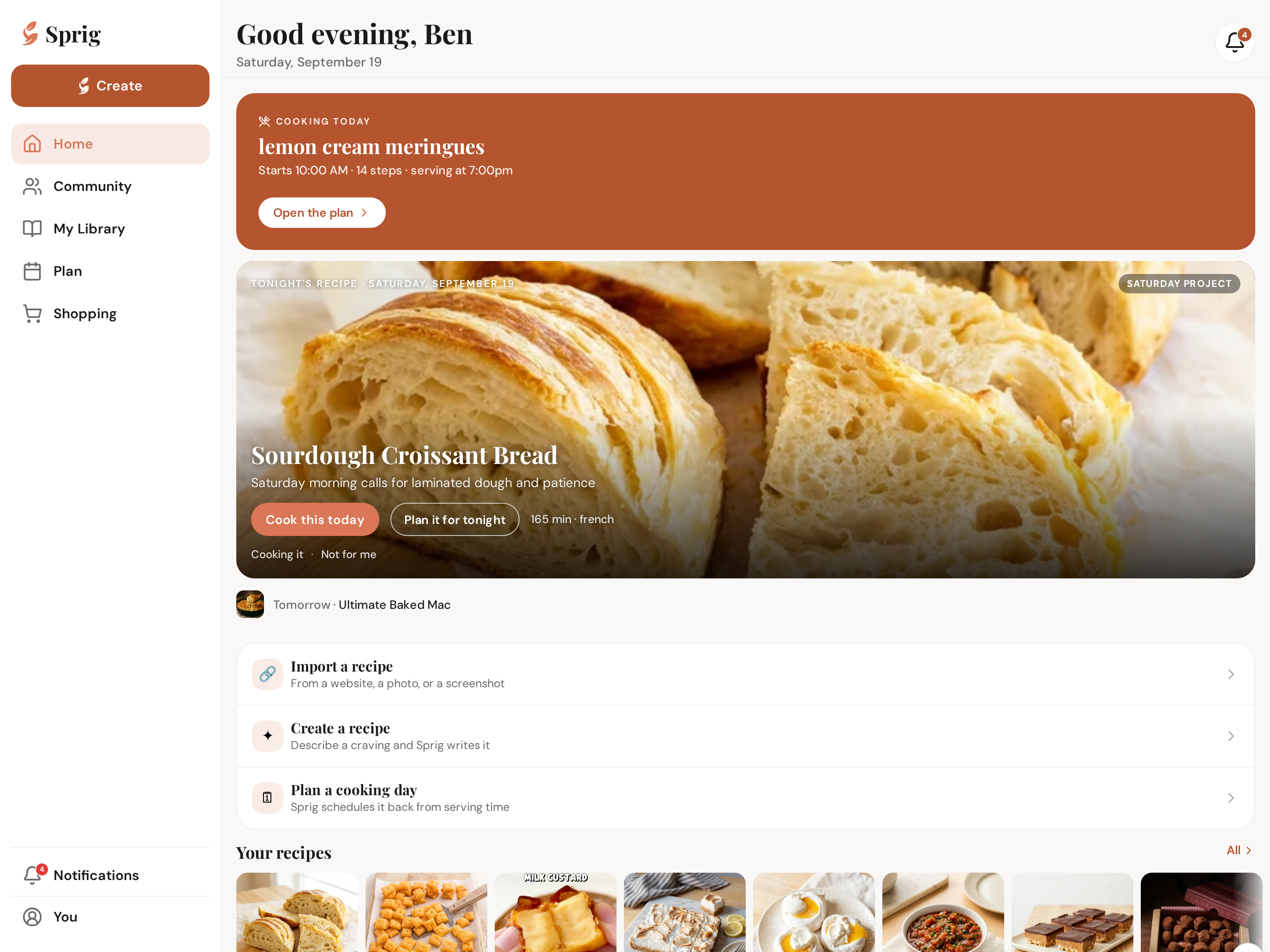
Sprig is a full iPad app, not a stretched phone. Turn the iPad any way you like and the layout follows: upright you get a slim icon rail down the side, landscape gives you the full menu with labels. It works in Split View beside another app, and everything you've saved is already there — it's the same account.
Tap a picture to zoom
Two panes when you cook
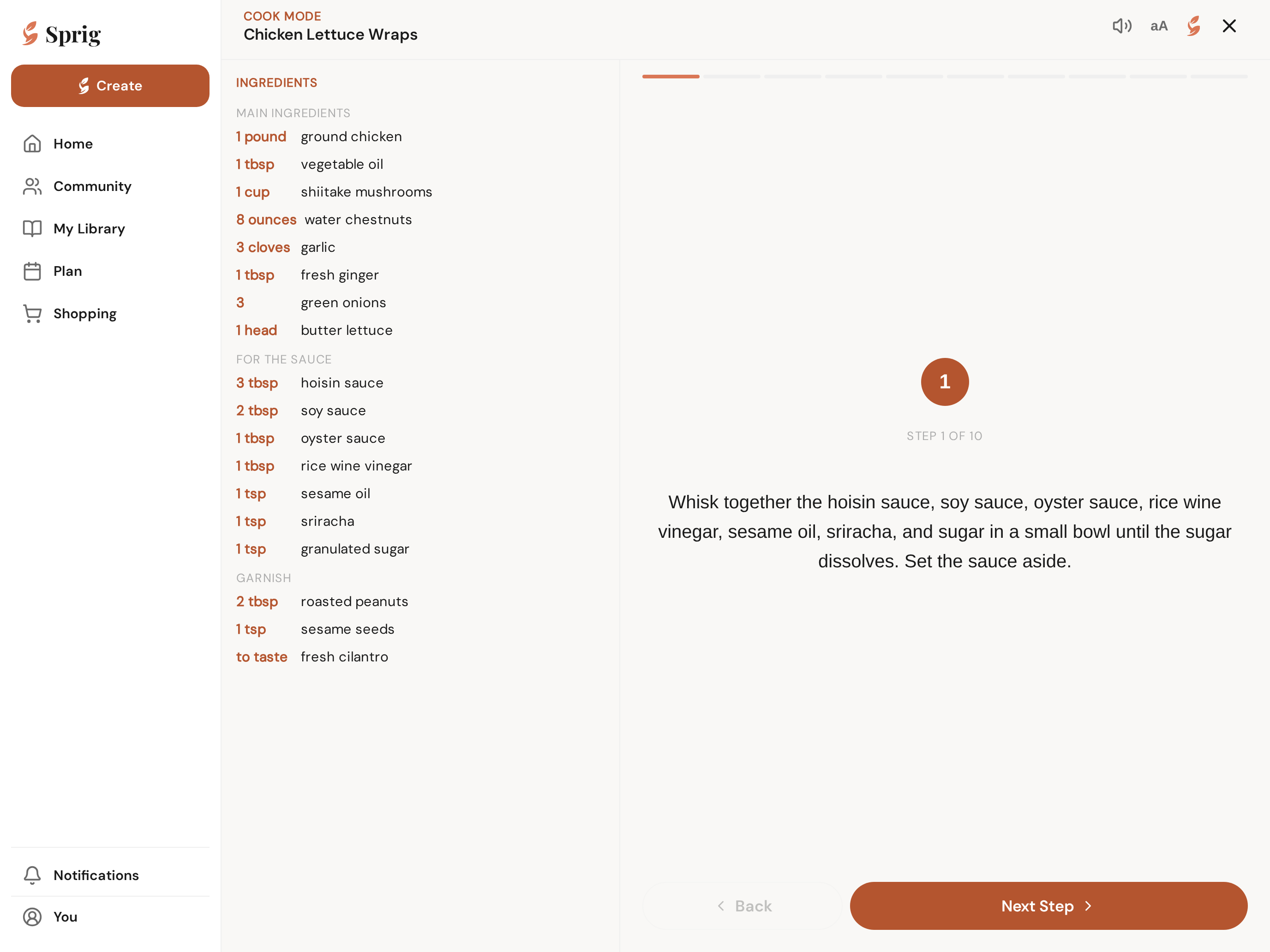
On an iPad in landscape, Cook Mode splits in two: the ingredients for the whole recipe stay on the left while the step you're on fills the right. No scrolling back and forth with messy hands, and the screen stays awake until you're done.
Tap a picture to zoom
Two panes when you plan
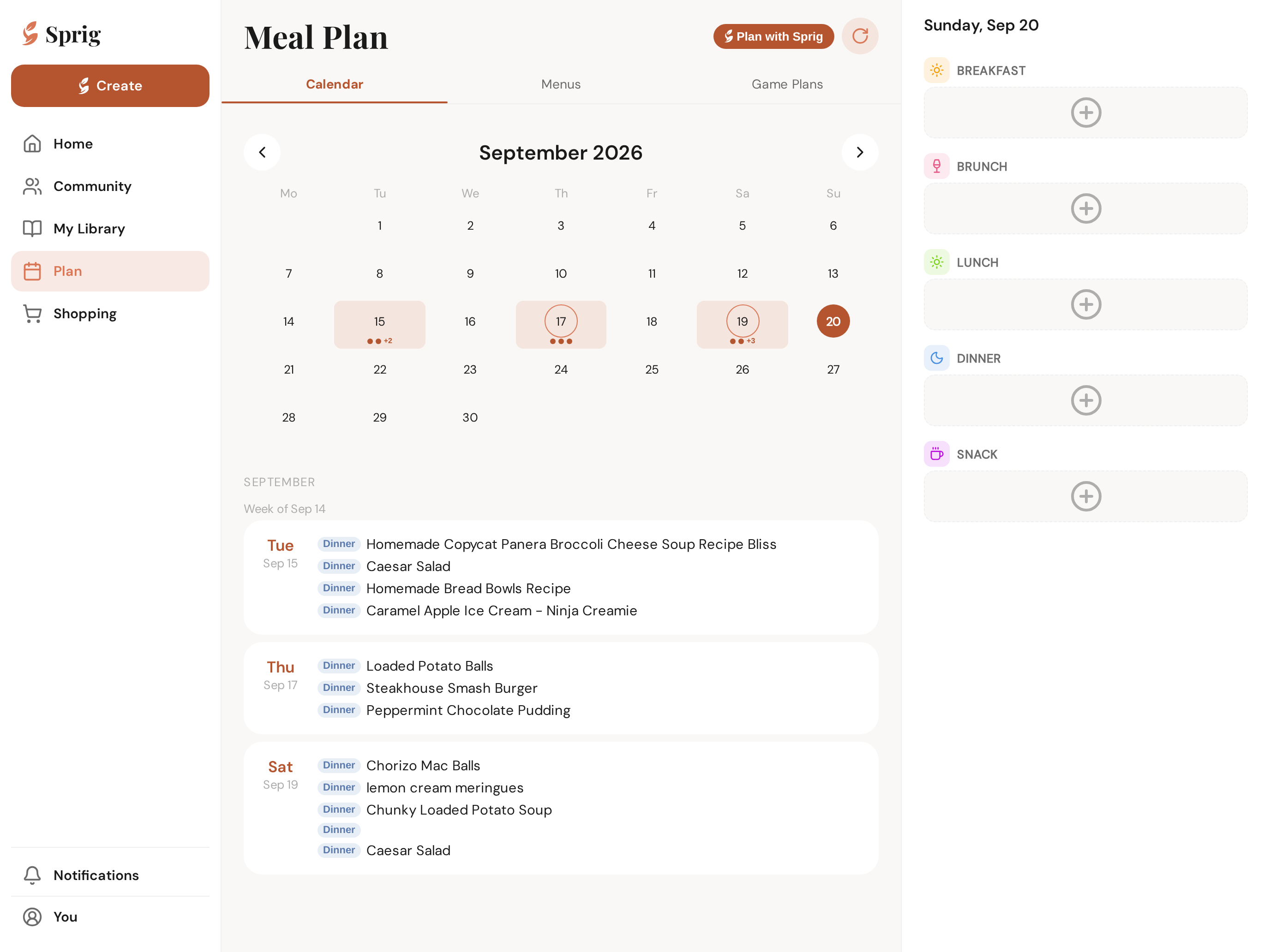
The planner does the same thing. Tap a day and it opens as a pane beside the month instead of covering it, so you can see the shape of the week while you fill in Thursday.
Tap a picture to zoom
A keyboard, if you have one
With a keyboard attached, Enter sends your message to Sprig instead of adding a line break — the way you'd expect it to. Everything else works with touch exactly as it does on the phone.
Nothing in this chapter matches — try the Handbook search.
Made with Sprig
On a bigger screen was created in Sprig — the AI chef that turns any craving into a complete recipe, plans your week, and shops with one smart list.